
Configure split rules in SplitPay
Onchain split payments replace manual bank transfers with smart contract parameters. Instead of collecting funds and distributing them later, you define who gets paid what at the moment the transaction occurs. This approach ensures that every creator receives their exact share instantly, without the friction of reconciliation or the risk of delayed settlements.
The core mechanism relies on setting recipient addresses and percentage allocations directly in the payment flow. When a patron pays, the smart contract executes a single on-chain transaction that routes funds to multiple wallets simultaneously. This eliminates the need for separate outgoing transfers and reduces gas costs associated with manual payouts.
To set this up, you will define the split logic either through a dashboard or an API. The system requires you to specify the total number of recipients and their respective shares. These parameters are locked into the transaction, meaning the distribution is transparent and immutable once confirmed on the blockchain.
Enter the wallet addresses of all creators and partners who will receive a portion of the revenue. Ensure each address corresponds to the correct blockchain network supported by your split pay solution. Incorrect addresses result in irreversible loss of funds.
Assign a percentage or fixed amount to each recipient. The sum of all allocations must equal 100% of the incoming payment. You can adjust these ratios dynamically if your team structure changes, but the contract will enforce these limits on every transaction.
Before going live, send a minimal test payment to verify that the splits execute correctly. Check each wallet to confirm the amounts match your configuration. This step catches any misconfigurations in gas fees or network compatibility before real money is involved.
Once tested, deploy or activate the split rules. The system will now automatically route future payments according to your defined parameters. Monitor the first few live transactions to ensure smooth operation.
Connect wallet addresses for recipients
Onchain Split Payments for Creator Payouts works best as a sequence, not a scramble through settings. Do the minimum first: confirm compatibility, connect the core hardware, update only when needed, and test the result before adding optional features. That order keeps the task understandable and makes failures easier to isolate. After each step, pause long enough for the interface to finish syncing. Many setup problems are timing problems disguised as configuration problems. If the same step fails twice, record the exact error, restart the smallest affected piece, and retry before moving deeper.
The simplest way to use this section is to keep the setup small, verify each change, and record the stable configuration before adding optional accessories.
Test with a small transaction first
Before routing significant revenue through your smart contract, treat onchain split payments like a flight simulator: run a low-stakes simulation to verify the logic holds up under real conditions. A test transaction confirms that the split percentages execute exactly as coded, that gas fees don’t consume the entire payout, and that all recipient wallets receive their shares without error.
Start by deploying a minimal version of your split contract or using a testnet environment if you are still in development. Send a small amount of the target token—enough to cover transaction fees but too small to cause financial distress if something goes wrong. For example, if you are splitting USDC, send $5 to the contract and observe how it distributes the funds among your creators.
During this test, verify three critical elements:
- Split Logic Accuracy: Check that each wallet receives the exact percentage defined in your code. Even a 1% discrepancy can add up quickly at scale.
- Gas Fee Impact: Ensure the gas costs are deducted correctly and do not leave recipients with negative balances or insufficient funds to move their earnings.
- Wallet Compatibility: Confirm that all recipient addresses are compatible with the token standard (e.g., ERC-20) and that no wallets reject the incoming split funds.
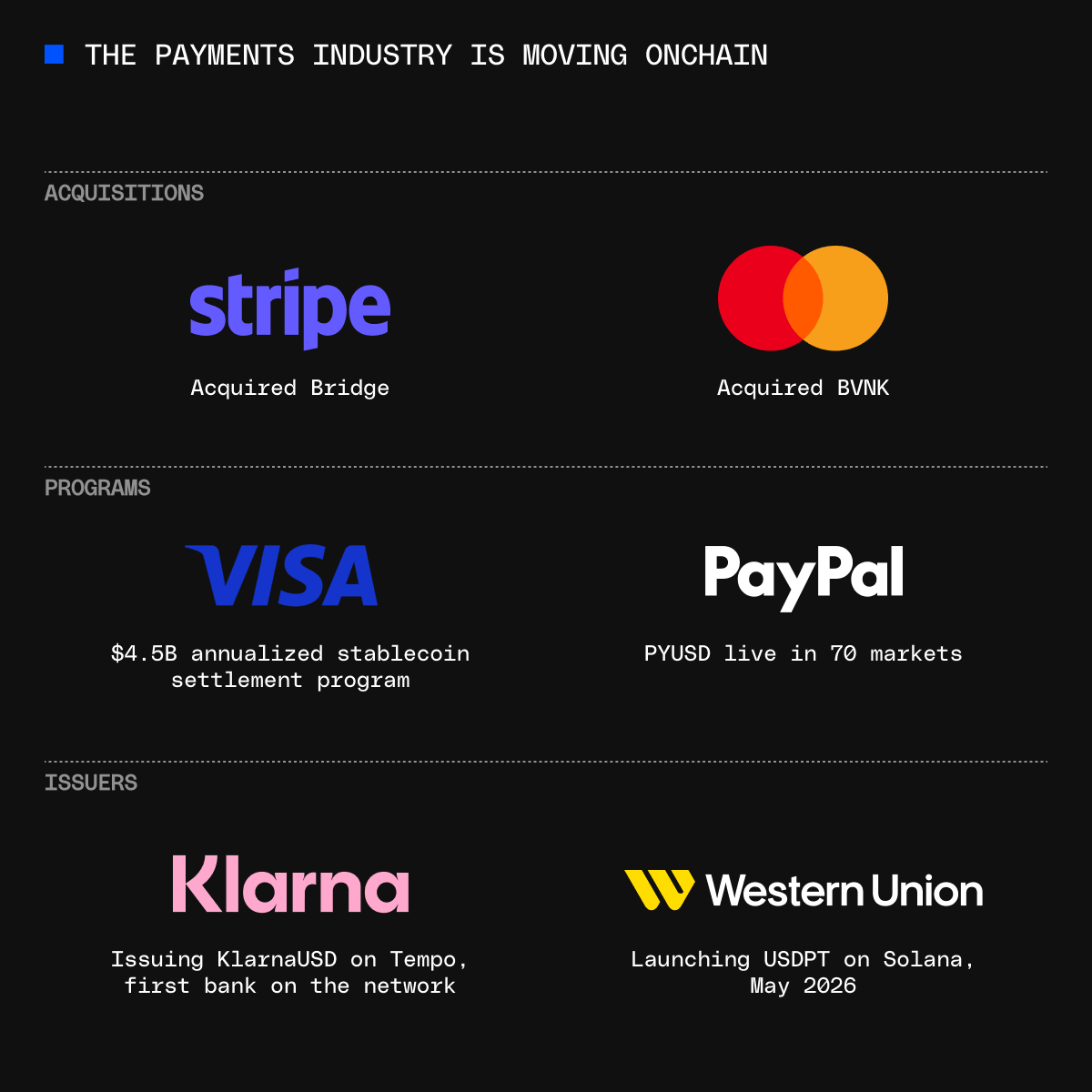
As noted by Stripe, on-chain transactions are recorded directly on the blockchain, making them immutable once confirmed. This immutability means you cannot "undo" a failed split. Testing allows you to catch configuration errors before they become permanent. If the test transaction fails, review your smart contract code or the configuration of your payment router. Once the test succeeds, you can proceed to larger payouts with confidence, knowing your onchain split payments infrastructure is reliable.
Monitor payouts on the blockchain
Verifying onchain split payments requires checking the blockchain directly. Block explorers serve as the public ledger for every transaction, providing immutable proof that funds reached the intended creators. This step confirms that your automated splits executed correctly and that no funds were lost or stuck in transit.
Verify transaction details on a block explorer
Navigate to a block explorer for your specific network, such as Etherscan for Ethereum or Solscan for Solana. Locate your payout transaction using the transaction hash (TXID) generated by your payment protocol. Enter the hash into the search bar to view the full transaction receipt.
Review the "Token Transfers" section of the receipt. This area lists every recipient address and the exact amount of tokens sent. Cross-reference these addresses and amounts with your original split configuration. Ensure that each creator received their precise share without rounding errors or missing allocations. If the amounts match your intent, the payout is successful.
Track volume and adoption trends
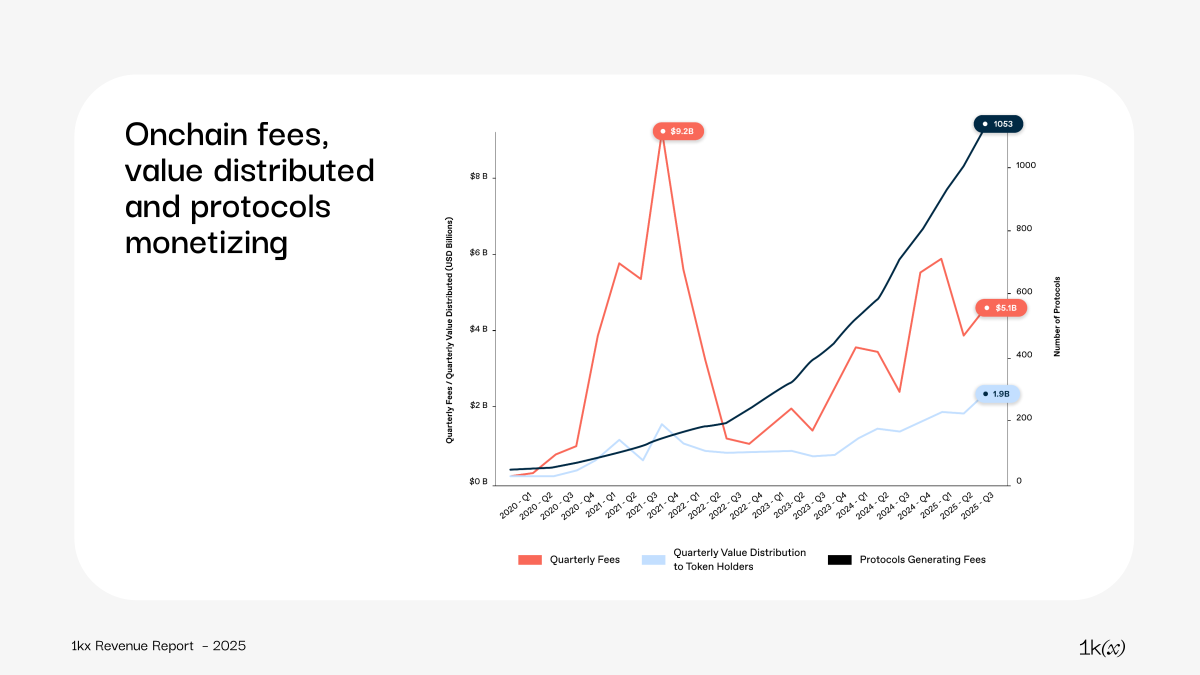
For a broader view of your payment activity, use analytics platforms like Paymentscan. These tools aggregate onchain data to show transaction volumes and active user counts across different programs. This data helps you monitor the health and adoption of your onchain payment infrastructure over time.
Confirm settlement stability
During payout windows, ensure the settlement asset remains stable. Use a TradingView chart to monitor the price of your stablecoin, such as USDC, to verify that value did not fluctuate significantly during the transfer process. This confirms that creators received the intended economic value.
Check for failed or pending states
If a payout does not appear in the recipient's wallet, check the transaction status on the block explorer. A "Failed" status usually indicates insufficient gas fees or a contract error. A "Pending" status means the network is congested. Wait for the block confirmations to complete before assuming an error occurred. If the transaction is confirmed but the recipient did not receive funds, verify the recipient address for typos.
Common mistakes in split configurations
Even a small error in your onchain split payments setup can lead to lost revenue or broken trust with your collaborators. These pitfalls are often technical oversights rather than malicious intent, but their impact is immediate. Before you go live, verify these three critical areas.
Rounding errors and distribution logic
Onchain transactions deal in the smallest units of currency (like wei or satoshis). If your split percentages do not sum to exactly 100%, or if you use standard floating-point arithmetic, tiny fractions are often dropped or rounded incorrectly. Over time, this "penny drift" can result in significant discrepancies between what creators expect and what they receive. Always use integer-based math libraries that handle remainder distribution explicitly, ensuring every satoshi or wei is accounted for in the final transaction.
Gas fee miscalculations
A common mistake is assuming that gas fees are paid separately or ignored by the protocol. In many split-payment smart contracts, gas fees are deducted from the total transaction amount before the splits are calculated. If you haven't accounted for this, your creators will receive less than their agreed-upon percentage. Configure your contract to either have the payer cover gas fees upfront or deduct them from a designated "platform fee" bucket, not the creators' principal payouts.
Incorrect network selection
Sending split payments on a network with high volatility or low liquidity can cause failures or excessive costs. Ensure that all wallets in your split configuration are compatible with the chosen blockchain. For example, sending an ERC-20 token split on a network that doesn't support the standard will result in lost funds. Double-check that your smart contract is deployed on the same network where your creators are expecting to receive funds.
-
Verify split percentages sum to exactly 100%
-
Confirm all recipient wallets are active on the target network
-
Test gas fee deduction logic with a small transaction
-
Ensure smart contract matches the token standard (e.g., ERC-20)
No comments yet. Be the first to share your thoughts!